Horizontal scrolling
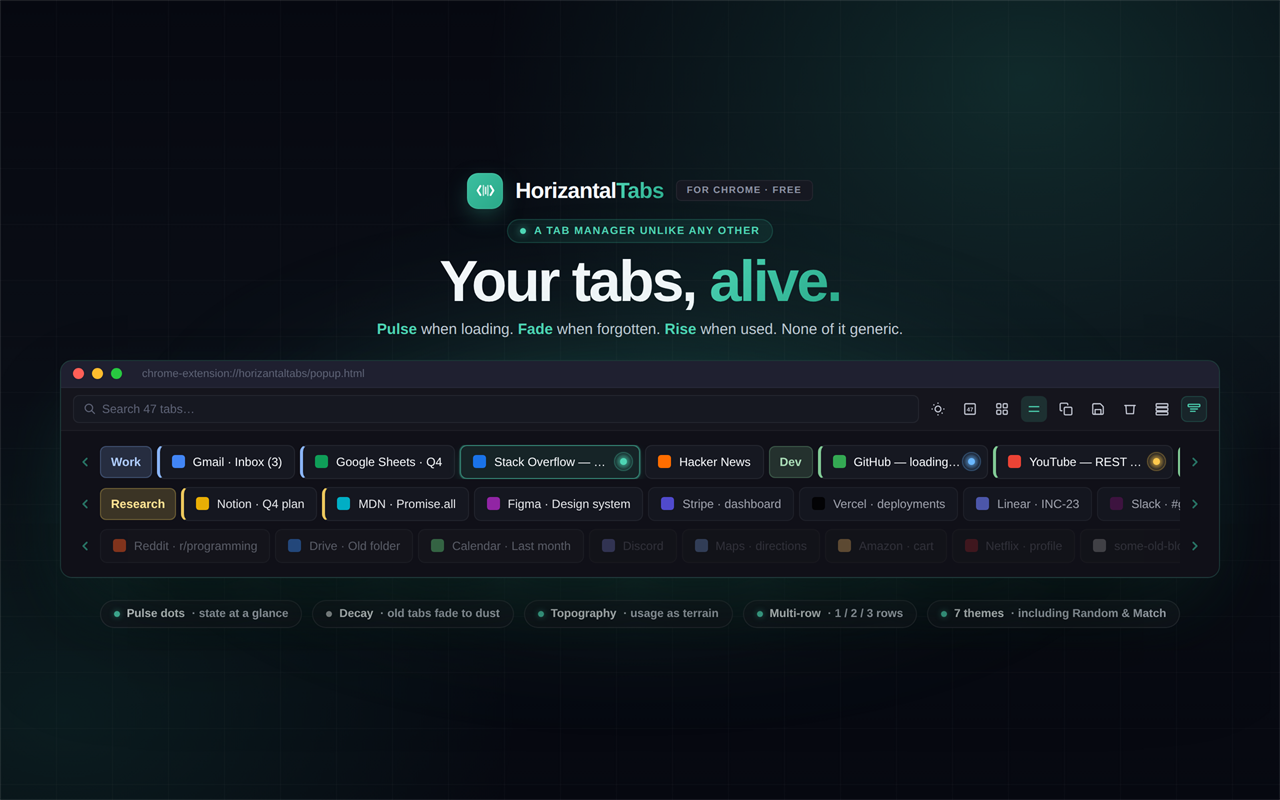
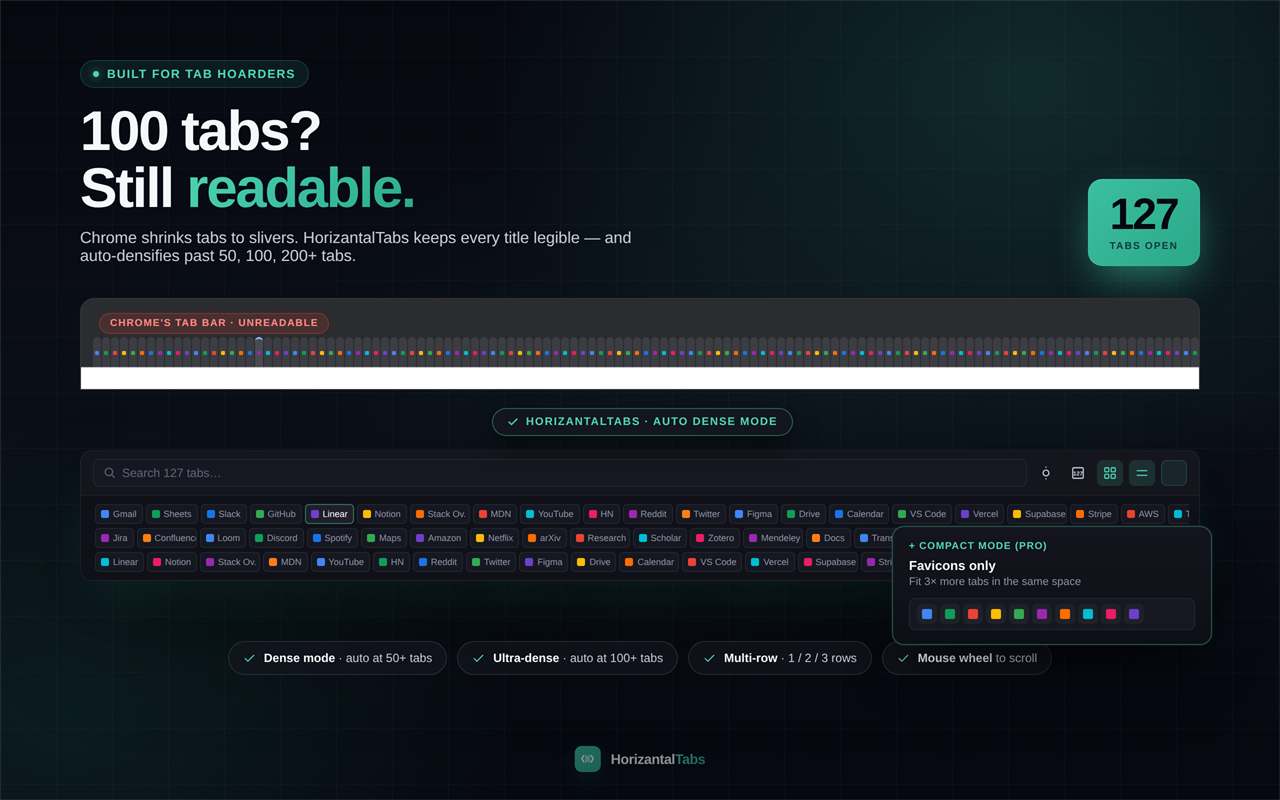
All your tabs in a row. Scroll with your mouse wheel.
Free
Search
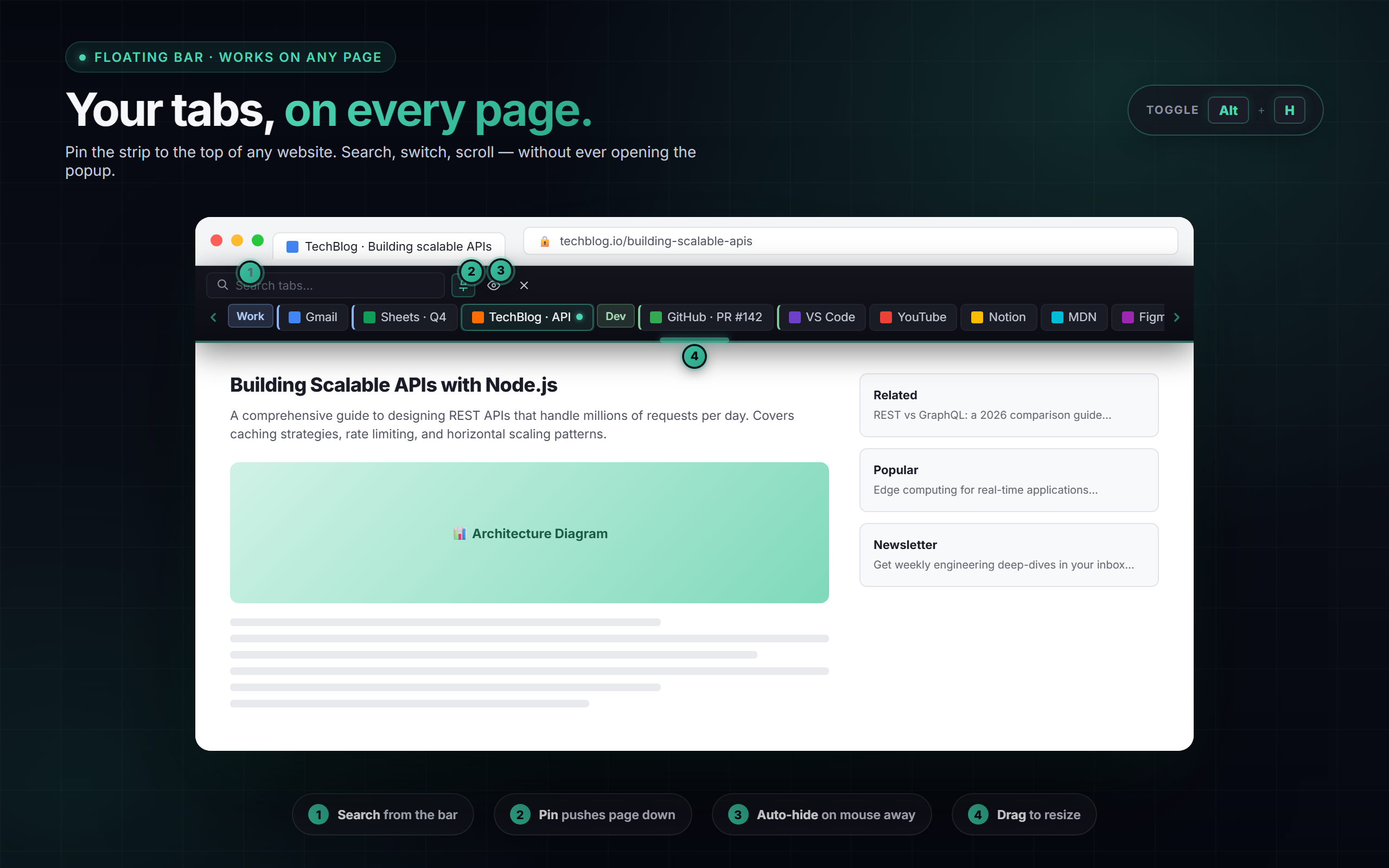
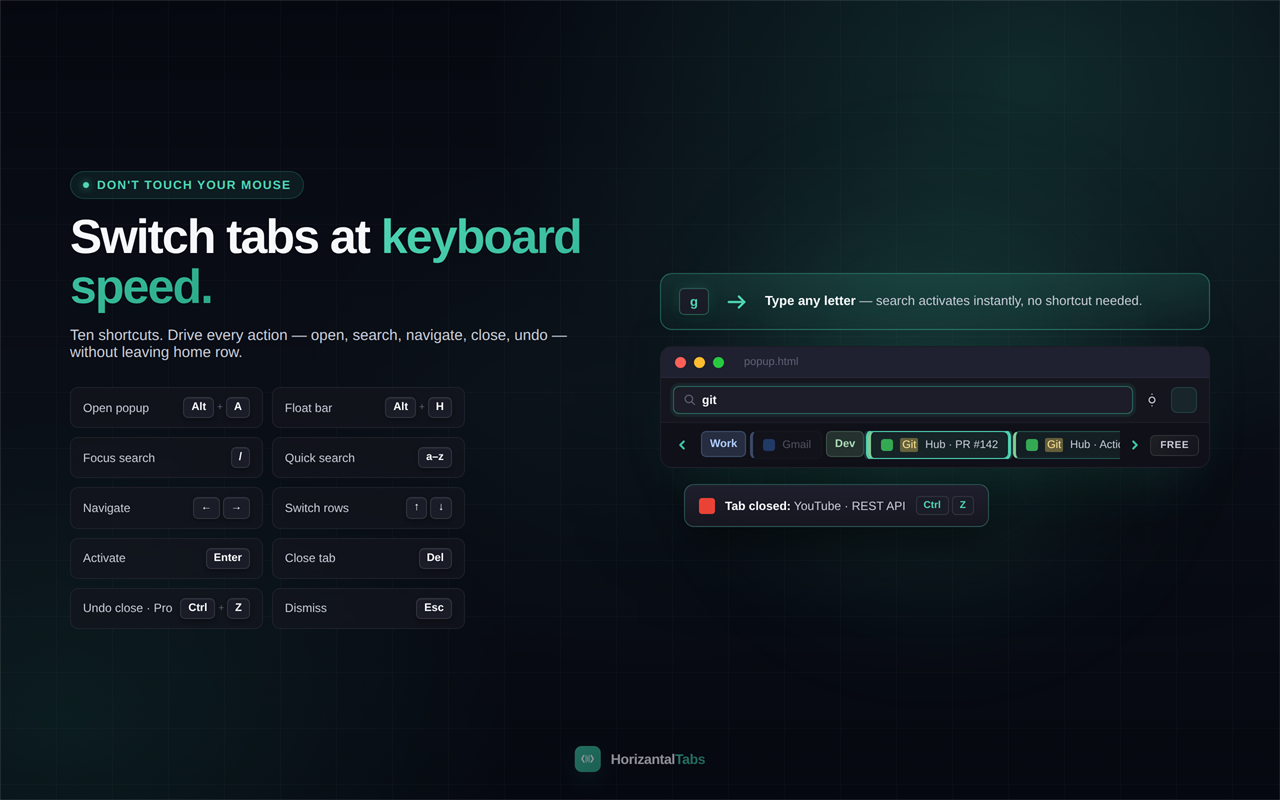
Just type. Filters by title and URL instantly.
Free
Drag to reorder
Grab a tab, drop it where you want it.
Free
Tab groups
Color-coded groups show inline. Click to collapse.
Free
Keyboard nav
Arrow keys to browse, Enter to switch, / to search, Esc to close.
Free
Tab count badge
See how many tabs you have. Toggle it on or off.
Free
7 theme modes
Light, dark, auto, random, match tab, opposite, or floating theme.
Free
Multi-window
See tabs from all windows in one view.
Free
Floating bar
Pin the tab strip to any page. Drag, resize, always visible. (Alt+H)
Free
Auto-hide bar
Floating bar hides when you move away. Reappears on hover near the top.
Free
Pin floating bar
Push the page down so the bar never covers your content.
Free
Right-click menu
Pin, duplicate, mute, close others, close to right, all from a right-click.
Free
Pulse effect
Tabs glow when loading, playing audio, or active, so you never lose track.
Free
Decay effect
Tabs visually age over time. Fresh tabs look bright, forgotten ones fade to dust.
Free
Velocity scroll
Scroll speed adapts to your flick. Slow for precision, fast for flying through 100 tabs.
Free
Compact mode
Favicon-only view when you have 50+ tabs. Fit 3× more.
Pro
Multi-row layout
Display tabs in 2 or 3 rows for a grid view.
Pro
Session manager
Save all your tabs as a named session. Restore any time with one click.
Pro
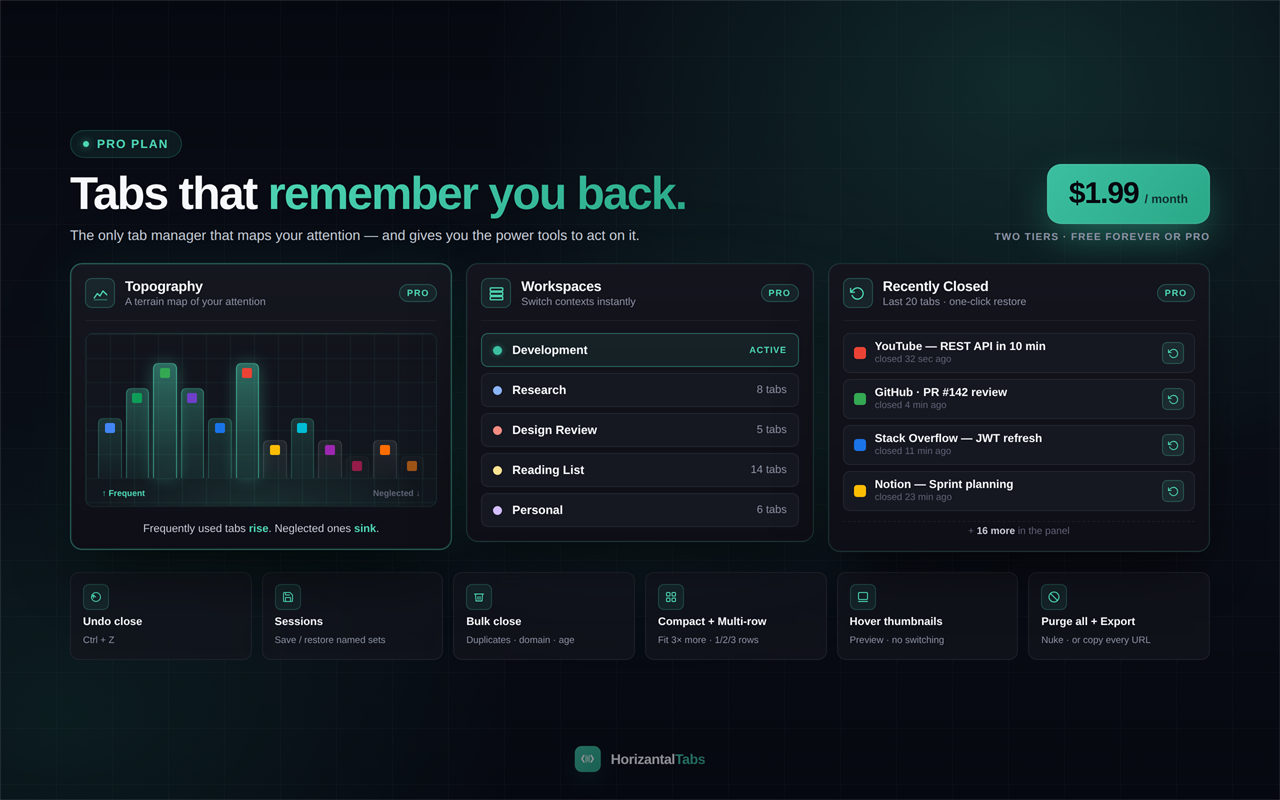
Workspaces
Organize tabs into named sets. Switch contexts instantly.
Pro
Bulk actions
Close duplicates, close by domain, or close tabs older than 1/3/7/30 days.
Pro
Export URLs
Copy every open tab URL to your clipboard.
Pro
Undo close
Ctrl+Z to bring back the tab you just closed.
Pro
Thumbnails
Hover a tab to see a screenshot of the page.
Pro
Audio indicator
See which tabs are playing audio and mute them with one click.
Pro
Purge all tabs
Close everything and start fresh with one click.
Pro
Topography effect
Frequently used tabs rise up and neglected ones sink, a terrain map of your attention.
Pro
Recently closed panel
See your last 20 closed tabs in a panel. One click to bring any of them back.
Pro
 18
18